Rank Shots, Deliver in 72 Hours: Event Aftermovie for Organizers


An event aftermovie is a short recap film, usually one to three minutes, built to capture an event’s energy and drive attendance next time around. The single rule that separates a memorable one from forgettable footage: plan coverage around a ranked list of must-capture moments before anyone picks up a camera. Every event edit should be built around that principle, aiming for a hero cut delivered within days, not weeks.
TL;DR:
Prioritize must-capture moments such as keynotes and signature activations over generic crowd shots to ensure a memorable highlight reel.
Lock a turnaround deadline of 72 hours for social clips and within a week for the full hero edit to maintain event relevance and engagement.
Use a detailed shot list and run sheet with assigned zones and camera settings to prevent missed footage and reduce onsite confusion.
Focus on high-quality audio recording for speeches, reactions, and ambient sounds, as poor sound quality is difficult to fix in post-production.
Hire a professional vendor who follows a documented brief, ranks shot priorities, and adheres to a clear delivery timeline to guarantee a polished final product.
Table of Contents
Six Tips For A Standout Event Aftermovie
Most weak aftermovies fail before filming even starts. The brief was vague, nobody ranked what mattered, or the turnaround dragged so long the footage lost its relevance. Fix the planning and the filming mostly takes care of itself.
Set objectives and platforms first. Decide whether this video sells next year’s ticket, courts sponsors, or feeds a highlight reel for LinkedIn, then pick formats to match.
Define deliverables up front. Name the hero cut and the social cutdowns separately, with target runtimes for each.
Rank must-capture moments. Keynotes, awards, and signature activations outrank generic crowd shots. Build a real shot list from that ranking.
Match music and tone to the audience. A tech conference and a music festival need entirely different pacing and score.
Protect audio like it’s the whole project. Poor sound quietly wrecks otherwise great footage, and audio problems are among the hardest things to fix in the edit, according to Eventplanner.
Lock a turnaround deadline before the event. Agree on review checkpoints so nobody is guessing who approves what, or when.
How Do You Structure An Event Recap’s Story?
A hero recap works best as three acts, not a highlight dump. The opening 20 seconds need to hook fast with your most energetic footage. The middle stretch, roughly a minute and a half, should balance speaker insight with genuine human reaction. The closing 30 seconds carries your call to action, according to the structure outlined by Think Branded Media.
Open on motion and sound, not a static title card.
Cut in short speaker soundbites rather than full quotes; five seconds of conviction beats forty seconds of context.
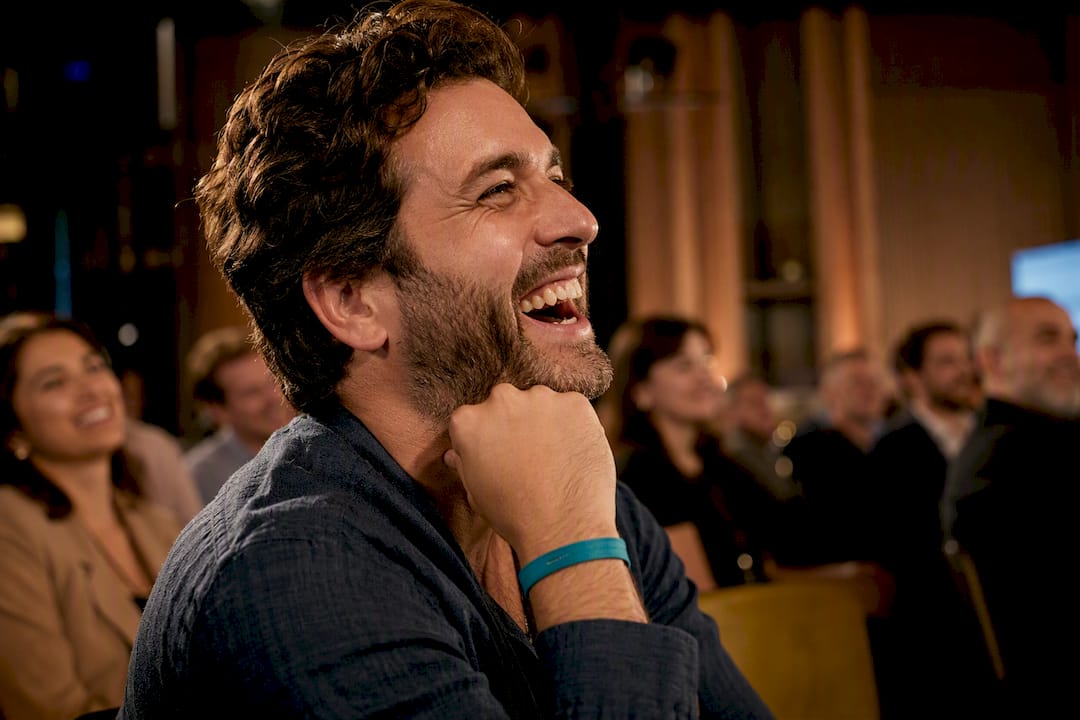
Let candid reactions carry weight. Laughter and surprised faces read as more honest than staged smiles.
Match pacing to platform: a LinkedIn cut can breathe; a Reels version needs a cut every second or two.
Polish has limits. Short, slightly rough social clips of backstage moments often outperform the glossy hero edit on organic reach, since BlareVideo’s repurposing data shows candid footage tends to travel further than the fully finished cut.
Pro Tip: Save one raw, unscripted laugh or reaction shot for the very first frame of your teaser. Algorithms and humans both respond to it before they know what the event even was.
What Belongs In A Pre-Production Shot List And Run Sheet?
Turn the event agenda into a working document before your crew arrives, not during setup. This is the coverage-first method: map moments to cameras, not the other way around, so nothing important depends on luck.
Extract must-capture moments from the schedule. Every keynote, award, and product reveal gets flagged with a timestamp.
Rank overlapping moments. When a sponsor speech and a networking highlight happen at once, decide which one wins the primary camera, since a step-by-step planning guide recommends ranking rather than trying to cover everything equally.
Map camera positions to each moment. Note which angle is primary and which is backup, and only add a second camera where it covers a genuinely different angle.
Assign zones and named ownership. Every shooter owns a physical area and a list of moments, so no gap falls between two people who each assumed the other had it.
Build a redundancy checklist. Spare batteries, formatted cards, backup audio recorders, and a known swap procedure if gear fails mid session.
Write the run sheet with camera settings included. List each moment, the assigned shooter, the camera position, and exposure notes so nobody improvises during a keynote.
Pro Tip: Print the run sheet. A phone screen dies at the worst moment; paper never does.
Planning this way inside our own corporate event video process has consistently cut down the scramble that happens when two sessions run in parallel.
What Should Crews Prioritize On Shoot Day?
The footage editors receive on day one determines how good the aftermovie can possibly be. No amount of editing fixes a missed speaker close-up or a distorted audio track.
Establishing shots of the venue, signage, and crowd arriving, captured before the room fills.
Speaker close-ups during every scheduled session, framed tight enough to read facial expression.
Audience reaction shots pulled during applause, laughter, or standing ovations.
Sponsor logos, booths, and branded signage, shot cleanly and separately from crowd footage.
Lapel mics on every speaker, with a handheld or shotgun recorder running as backup.
Ambient room mics to preserve the crowd’s energy and applause, which flattens badly if you rely on camera-body audio alone.
Stabilized rigs for interviews and formal segments; handheld for crowd energy and movement.
Quick, unscripted testimonials grabbed during coffee breaks, when people speak more naturally than on a formal stage.
Applying similar setups while filming corporate events has shown that the testimonials shot during breaks, not on stage, are usually the ones organizers ask to reuse months later.
How Fast Should The Edit And Delivery Turn Around?
Speed decides whether an aftermovie still feels relevant when it lands. A recap posted two weeks after the event reads as old news; one posted within 72 hours still rides the crowd’s excitement.
Same day: quick-select clips and a rough teaser for immediate social posting.
24 to 72 hours: the primary social recap, trimmed and captioned.
3 to 7 days: the full hero edit with color grading, sound design, and sponsor branding.
That staggered timeline matches what BRAEID’s event recap strategy recommends, and it exists because attention decays fast after an event ends.
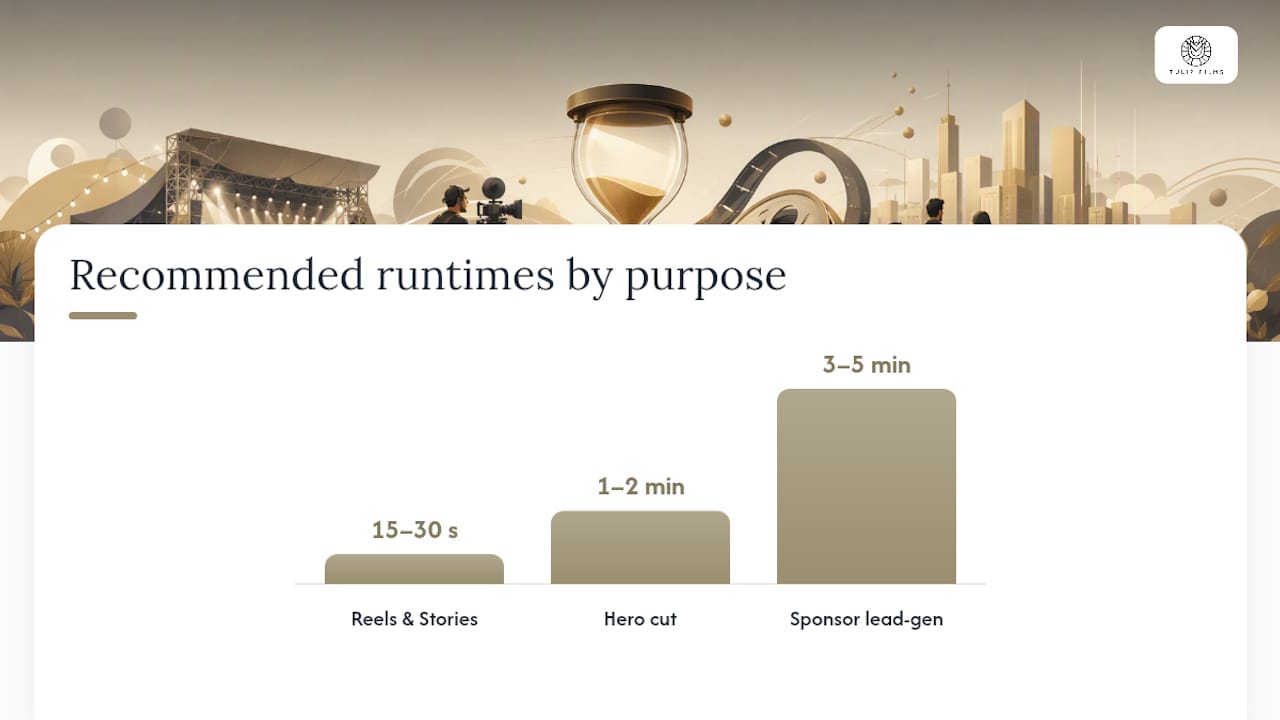
Length should follow purpose, not habit: 15 to 30 seconds for Reels and Stories, 1 to 2 minutes for the hero cut, and 3 to 5 minutes only when the video is doing lead-generation work for next year’s sponsors. Edit silent-first, since so many viewers watch muted that captions and lower-thirds function as required elements rather than nice-to-haves. Clear music licensing and consistent file naming, run through a review tool like Frame.io, keep the whole workflow from stalling on the last day.
How Do You Turn One Event Into Months Of Content?
One well-shot event should never produce a single video. Treat the raw footage as a library: a hero recap, a set of speaker soundbites, several social teasers, and dedicated sponsor assets can all come out of the same two days of shooting.
Decide aspect ratios and lengths for every platform before the shoot, not during the edit.
Cut vertical 9:16 versions for Reels and TikTok, horizontal 16:9 for LinkedIn and YouTube, matching BlareVideo’s platform-specific guidance.
Publish the hero video within 72 hours, then stagger cutdowns over the following two to three weeks.
Track watch-through rate and shares first; a clip that gets replayed is your next teaser template.
Why Hire A Professional For Your Aftermovie?
A vendor with a coverage-first process removes the guesswork organizers usually inherit when a junior team or a single freelancer covers a live event alone. Tulip Films builds every project around a documented brief, a ranked shot list, and a run sheet the crew actually follows on site, drawing on portfolio work across event videos, corporate drone footage, and sports coverage.
A workable brief for any vendor should include:
The core objective and target platforms for the finished video.
A ranked must-capture list tied to the event schedule.
Exact deliverables: hero cut, social cuts, sponsor assets, and their runtimes.
Approval steps and a firm delivery deadline.
Templates like this video brief guide make the handoff between organizer and crew far less prone to gaps.
What Do Organizers Get Wrong Most Often?
Three mistakes show up again and again: no written brief, audio treated as an afterthought, and a delivery timeline nobody agreed on in writing. Each one is avoidable, and each one is the organizer’s leverage, not just the vendor’s problem.
Require a brief before you sign anyone. Require a dedicated audio plan, not a camera-mic hope. Require a delivery date in the contract, not a vague “soon.” None of that is complicated, but skipping any one of them is exactly how a good event produces a forgettable video. If you’re planning something with sponsor stakes or a tight follow-up campaign, it’s worth talking through the coverage plan before the date is even locked.
— Pieter
Ready To Film Your Next Event Aftermovie?
Hiring a single team to handle the shoot, the ranked coverage plan, and the edit can provide a hero cut fast enough to still catch the post-event momentum.
[
Before reaching out, have three things ready: your main objective for the video, a rough must-capture list from your agenda, and the platforms you need cuts for. That alone turns a first call into a real production plan rather than a guessing exercise. Our corporate event video services cover the planning, shooting, and edit end to end, and a quick consult is the fastest way to see if your event’s timeline fits.
Sources
Recommended
